

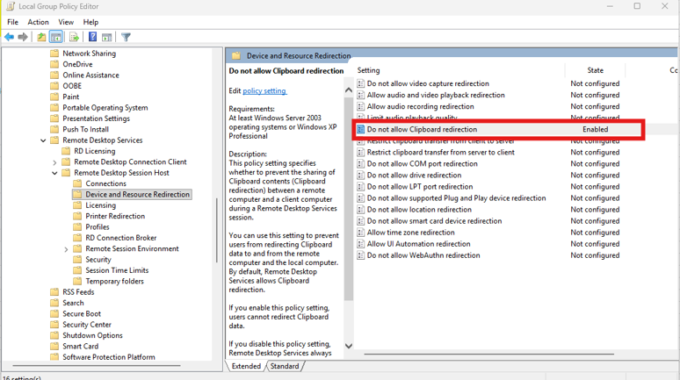
Để ngăn không cho sao chép dữ liệu (Copy/Paste) giữa máy local và máy remote, thực hiện như sau:
Mở cửa sổ Run bằng cách nhấn Windows + R, sau đó nhập lệnh:
gpedit.msc
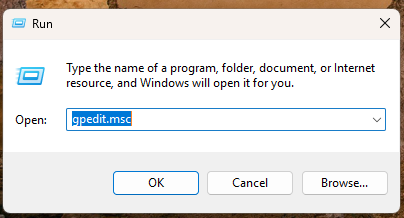
→ Nhấn Enter để mở Group Policy Editor.
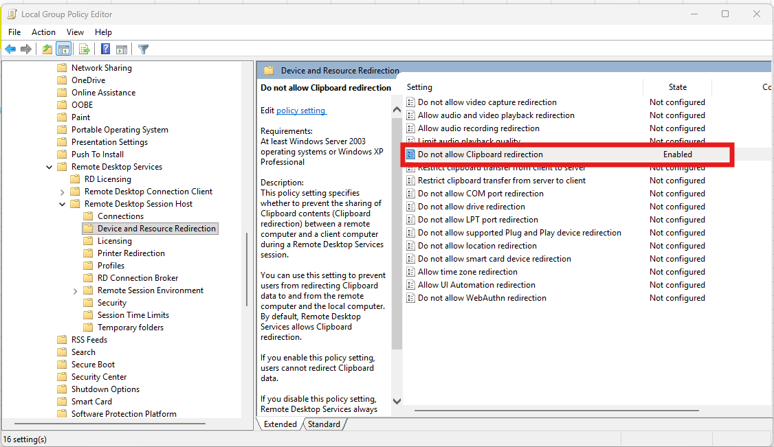
Truy cập theo thứ tự sau:
Computer Configuration
→ Administrative Templates
→ Windows Components
→ Remote Desktop Services
→ Remote Desktop Session Host
→ Device and Resource Redirection
Tìm và nhấp đúp vào mục:
“Do not allow Clipboard redirection”
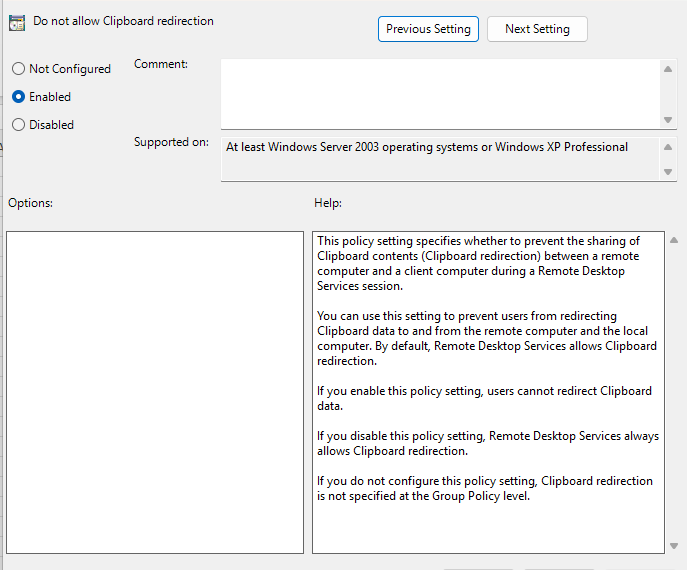
Chọn Enable, sau đó nhấn Apply → OK để lưu thiết lập.
Khởi động lại máy tính, rồi kết nối Remote Desktop để kiểm tra xem chức năng chặn Copy/Paste đã hoạt động hay chưa.